AI Homework Helper Guide: Get Unstuck Without Tanking Exam Performance
Use an AI homework helper with integrity: hints vs answers, syllabus rules, error logs, and when study tools grounded in PDFs beat generic chat.
Direct answer: An AI homework helper helps most when you use it for hints and verification—not final answers you paste without understanding. The integrity-first workflow is simple: attempt the problem yourself, ask one narrow question about where you are stuck, reconcile the explanation with your syllabus, then rewrite the solution in your own words. If your course forbids AI entirely, that rule overrides any convenience the tool offers.
This guide covers legitimate uses, red flags, how generic chat differs from study tools grounded in your PDFs, and a practical workflow that protects exam performance—not just tonight's deadline.
What an AI Homework Helper Actually Does
Most AI homework help tools accept a question—typed, photographed, or pasted—and return an explanation, outline, or worked example. Quality varies sharply:
- Strong helpers break problems into steps, define terms, and suggest similar practice
- Weak helpers dump a final answer with shaky reasoning or wrong notation for your course
Treat every response as a first draft, not ground truth. Your professor's allowed methods, edge cases, and citation rules may differ from what the model assumes. The helper unblocks you; your notes and lecture examples close the loop.
Integrity-First Workflow: Hints vs Answers
Academic integrity is not abstract—it is whatever your syllabus and institution say, plus the standard that you should be able to reproduce the work on an exam.
Step 1: Attempt Before You Ask
Spend at least ten minutes on your own. Write the givens, name the concept you think applies, and mark the exact step where reasoning stops. If you cannot articulate where you are stuck, AI will give you a full solution you will not learn from.
Step 2: Ask for a Hint, Not a Submission
Good prompts:
- "I tried setting up F=ma this way—what assumption am I missing?"
- "Explain why we use integration by parts here in plain language."
- "What is wrong with my step 3?" (paste your work)
Risky prompts:
- "Solve problem 7"
- "Write my essay introduction"
- "Give me the answer only"
Exams rarely let you photograph a page into a chat window. Practice the thinking you will need under test conditions.
Step 3: Verify Against Your Materials
Compare the AI explanation to lecture slides, textbook examples, and assignment rubrics. Fix notation mismatches. If the method differs from what your instructor demonstrated, trust the instructor unless office hours confirm otherwise.
Step 4: Produce Your Own Version
Rewrite the solution with your symbols, units, and show-work requirements. If you cannot explain it aloud without reading the screen, you are not done.
Step 5: Schedule Retrieval
Add one similar question to tomorrow's review—a flashcard, a quiz item, or a line in your error log. Homework completion without recall is a loan you repay at midterms.
This mirrors what why active recall matters describes: retrieval beats passive copying for anything exams will test.
When the Syllabus Forbids AI
Policies vary. Some instructors welcome AI for brainstorming; others ban it on all problem sets and take-home assessments. When rules are unclear, ask before you rely on a helper.
Safe defaults even when AI is allowed:
- Never submit AI-generated text as your own without required disclosure
- Never use AI on proctored or closed-book assessments
- Never skip show-work, citation, or collaboration rules the assignment demands
If AI is banned, your alternatives are textbook examples, office hours, tutoring centers, and study groups—not sneaking answers through a different app name. Chegg alternatives discusses the same tension between speed and learning; the ethics do not change because the interface is conversational.
Three Legitimate Uses of AI on Homework
1. Clarify Concepts You Already Started
Best when you can name the confusion: "I do not understand why this formula applies here." Ask for analogies, smaller sub-steps, or a definition in plain language.
2. Check Your Work, Not Replace It
After you solve a problem, use AI to compare structure: correct setup? right theorem? consistent units? This mirrors feedback from a TA—not a substitute for your attempt.
3. Generate Extra Practice From Your Materials
Once tonight's set makes sense, you need more questions in the same style. Generic AI may invent problems that drift from your course.
Studeum is built for this study side: turn PDFs, slides, and notes into flashcards and quizzes grounded in what you uploaded. It is not a "paste the question, get the answer" shortcut. Pair honest effort on assignments with generated practice to harden weak spots. Start from the AI quiz generator from PDF path if you want closed-book checks aligned with your readings.
Red Flags: When AI Homework Help Hurts
Stop and reset if:
- You cannot explain the answer aloud without reading the screen
- The method differs from lecture without a good reason
- You skip units, citations, or show-work the assignment requires
- You use AI on restricted assessments without permission
- You finish faster but score worse on in-class quizzes—the classic sign you copied understanding instead of building it
If any apply, reread the relevant slide, compare a textbook example, or ask a short specific question to a classmate or TA.
Generic Chat Helpers vs Study Tools Grounded in PDFs
Not every AI product solves the same job:
| Goal | Generic AI chat | Study tools grounded in your files (e.g. Studeum) | |------|-----------------|-----------------------------------------------------| | One-off explanation of a tricky step | Flexible; verify notation | Less focused on open-ended chat | | Practice questions matching your syllabus | May hallucinate topics | Quizzes/cards from your uploads | | Long-term spaced review | Not built for SRS | Pair with cards/quizzes; see spaced repetition apps | | Essay brainstorming | Useful with disclosure rules | Not a writing substitute | | Math step checking | Strong; watch for method drift | Better for recall after you solve |
For a deeper comparison, see Studeum vs ChatGPT. Open chat is versatile; study-grounded tools anchor practice in your files so retrieval matches what you will actually be tested on.
Math-specific answer sites like Gauth raise the same risks—speed without retention. Gauthmath alternatives covers when step-by-step apps help versus when they become copy pipelines.
A Five-Minute Workflow for Tonight's Assignment
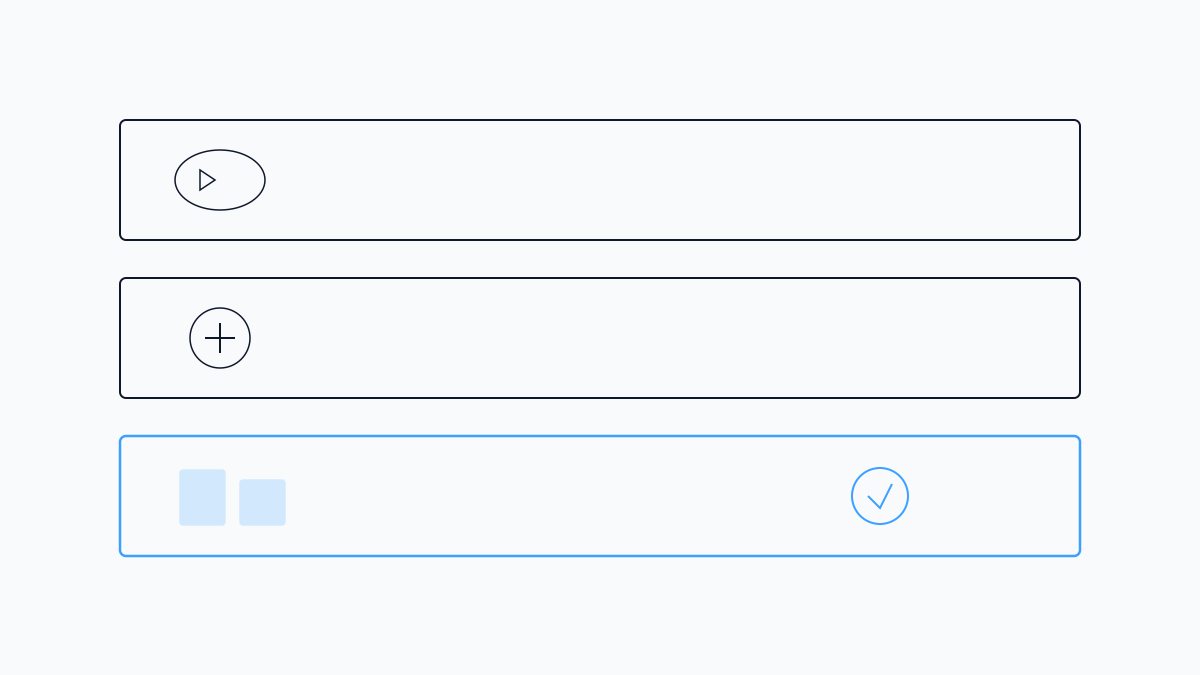
- Attempt — ten minutes minimum before opening AI
- Ask narrowly — one stuck step, not the whole problem
- Reconcile — match AI output to notes; fix notation
- Produce — rewrite in your own words and symbols
- Schedule recall — one similar item tomorrow (flashcard or quiz)
That last step separates homework completion from learning. If you only copy answers, you pay twice—once in integrity risk, again when the exam has no AI sidebar.
Error Log: Bridge Homework to Exam Prep
Keep a simple list: problem type, what you confused, where the correct idea lives in your notes. Review it before the next session. This connects daily assignments to how to study for exams without waiting until reading week.
Example entries:
- "Confused sine vs cosine in force decomposition—see Lecture 8 slide 12"
- "Forgot to convert units before comparing—rubric requires SI"
The log is more valuable than rereading an entire chapter.
When Studeum Fits (and When It Does Not)
Studeum fits when:
- You finished homework honestly but need more questions from the same chapter
- Your course tests vocabulary and concepts straight from PDFs
- Building flashcards by hand takes longer than doing the problem set
Studeum does not fit when:
- You need a worked solution to paste—use office hours instead
- Your instructor banned AI-generated study aids—follow the syllabus
- The assignment is pure open-ended writing where only your argument counts
Try Studeum on one chapter upload after you complete tonight's set. Run a short closed-book quiz. If questions surface gaps your homework helper glossed over, you know where tomorrow's study block goes. See pricing for plan details.
Academic Integrity Checklist
Before you submit anything touched by AI:
- [ ] Syllabus allows this use (or you asked and got a yes)
- [ ] Required AI disclosure is included if needed
- [ ] Every submitted step is something you can explain
- [ ] Notation and methods match course standards
- [ ] You added practice for missed concepts
When in doubt, choose the slower honest path. One late night of real learning beats a clean submission you cannot defend orally.
Pairing AI With Human Help
AI does not replace office hours—it prepares better questions for them. Instead of "I do not get problem 7," arrive with: "I set up the free-body diagram this way; the AI suggested adding friction here, but Lecture 9 treated it as negligible—can you clarify when we include it?"
TAs and instructors answer faster when you show an attempt. That respect for their time often earns clearer explanations than any chat model.
Start With One Problem
Pick the question you have been avoiding. Write what you think the first step should be—even if you are unsure. Only then open an AI homework helper and ask for a hint on that step. Finish the problem yourself, log what confused you, and schedule five minutes of review tomorrow.
Used that way, AI shortens frustration without shortening the learning your grades depend on. For courses heavy on PDF readings, lecture PDFs to flashcards shows how to turn verified understanding into review you will actually run before the next assignment.
Last updated: July 16, 2026.