Quizlet Alternatives in 2026: Free Options That Quiz Your PDFs
Best Quizlet alternative and free Quizlet alternative picks for 2026—flashcards and quizzes from your PDFs, not random shared decks. Compare Studeum, Anki, Brainscape & more.
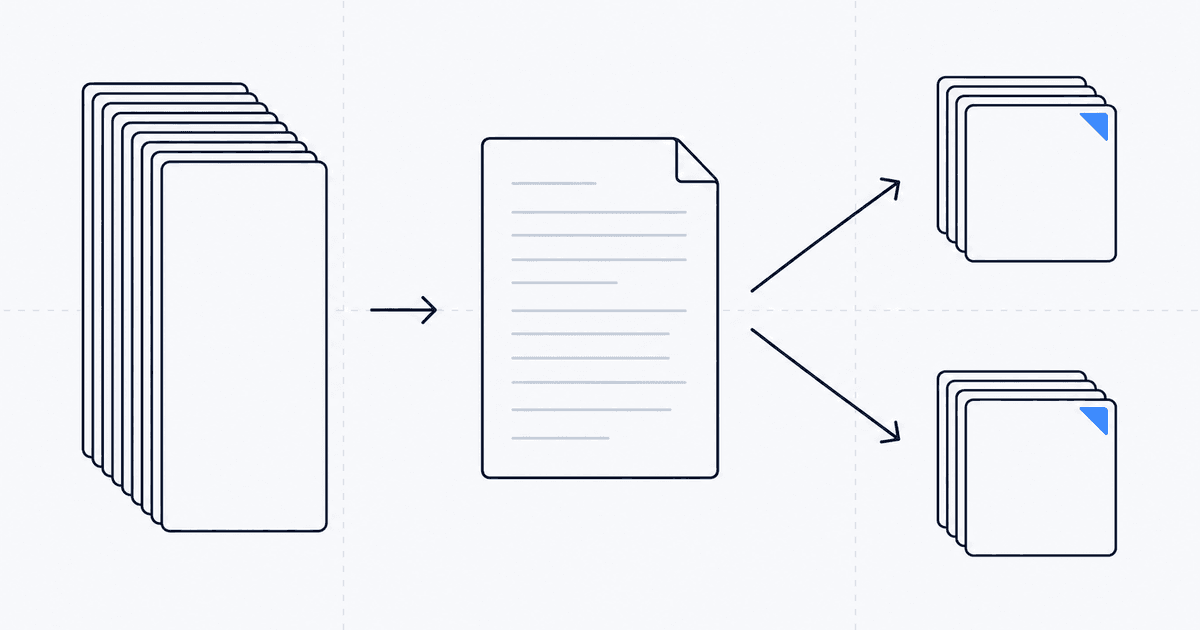
Direct answer: The best Quizlet alternative in 2026 is the app that turns your PDFs and lecture notes into retrieval practice—not just another deck library. If you searched free Quizlet alternative, prioritize tools that generate flashcards and quizzes from uploads so you are not paying twice (subscription plus hours of manual card entry).
Quizlet still wins when your class already shares a perfect deck and you only need familiar study modes. You need Quizlet alternatives when pricing, paywalled AI, or generic community decks stop matching what your instructor actually tests. The bottleneck is rarely flipping cards—it is creating cards that reflect your syllabus vocabulary.
Studeum — Optimal for AI that Adapts to Your Materials
When your professor tests specific phrasing, edge cases, or complex concepts directly from your readings, generic decks can lead you astray. Studeum tailors its generation process to the materials you upload, ensuring that your practice remains aligned with the precise scope of your responsibilities, rather than relying on average decks found online.
Anki — Best for Total Scheduling Control
Anki stands out as the go-to choice for power users seeking robust spaced repetition, image occlusion, and customizable add-on workflows. It's ideal for those willing to invest time in maintenance, such as for long-term language learning or extensive exam preparation. The trade-off is a steeper learning curve and less immediate polish.
Knowt — Community-Driven with Modern Study Flows
Knowt appeals to students who thrive on social interaction around decks and prefer faster iteration over traditional manual card creation. As with any crowd-sourced platform, the quality of content can vary, so it's crucial to cross-check with your syllabus for high-stakes courses.
Brainscape — Confidence-Weighted Repetition with a Polished Interface
Brainscape offers a guided learning experience with a smoother onboarding process than Anki. It's suitable for those seeking "serious repetition" without the need to engage deeply with add-on culture.
RemNote — Integrating Notes and Flashcards
RemNote is designed for learners who prefer a unified workspace where bullet notes and flashcards are interconnected. If you view your studies as a web of interconnected ideas, this app is worth exploring.
Mochi — Minimalism with Markdown
Mochi caters to students who value plain-text workflows, keyboard efficiency, and a minimalist user interface. While it may not compete with the visual appeal of mass-market apps, it is favored by developers and dedicated writers.
Decision Framework
Stick with Quizlet if its shared decks perfectly match your class needs, the pricing is manageable, and you're not struggling with its limitations. Consider switching when you require more precise alignment with proprietary readings, study guides alongside cards, or quizzes that reveal reasoning gaps—areas where Studeum often excels, particularly for college-level workloads.
Migration Tips to Avoid Disruption
Switching study tools mid-semester can be daunting. To ease the transition, try running both systems in parallel for one unit. Maintain your existing decks for familiarity, but also generate a supplementary set from the course PDF and tackle ten questions each night. If discrepancies arise between community decks and lecture content, trust your syllabus-weighted source.
Export habits are also crucial. If you're preparing for an exam with loose paper, practice retrieving information under similar conditions—some students find they rely too much on screen features unavailable during tests.
Acknowledging Limitations
No app can replace critical thinking. If you use flashcards as a stand-in for solving proofs or drafting essay outlines, your grades will likely suffer. The best approach combines automation for volume with human effort for judgment: let Studeum handle repetitive tasks, freeing you to focus on the analytical aspects instructors evaluate.
Honors Courses and Competition Math
As courses become more advanced, superficial decks quickly fall short. Be prepared to incorporate proof practice and contest-style time constraints into your study routine. Use Studeum-style quizzes for vocabulary and rapid recall, while reserving human-graded work for complex arguments that require nuanced evaluation.
Grad School and Professional Certifications
Advanced exams demand stamina. Begin preparing with eight-to-twelve week plans where quiz volume gradually increases. Crash courses may boost panic tolerance, but they don't foster lasting knowledge. Spread out the effort to build true competence.
Accessibility Across Platforms
Keyboard navigation, screen readers, and font scaling vary among apps. If you depend on assistive technology, shortlist potential tools early in the term—discovering an interface barrier during midterms is far from ideal. Export options are also important: plain text or simple Markdown often integrates more seamlessly with adaptive tools than highly stylized formats.
Building Exam Confidence Ethically
Confidence should be evidence-based. Weekly, reflect on: What can I do now that I couldn't do last week? If the answer is merely "I created more decks," delve deeper—select a random topic and teach it to someone. Evidence-based confidence reduces exam anxiety more effectively than mere affirmations.
Using Instructor Office Hours Effectively
Bring three specific quiz questions or misunderstood flashcards to office hours instead of vague uncertainties. Concrete examples facilitate better explanations and demonstrate respect for your instructor's time. Many professors appreciate this preparation and provide insights that can enhance your Studeum review sets.
Course Modalities: Online vs. In-Person
Asynchronous lectures can tempt binge-watching; resist turning them into passive consumption. Segment the video content like readings: pause, use a Studeum-style quiz on a text export or transcript segment, then continue. Active checkpoints prevent the illusion of learning merely by watching.
Transitioning to Professional Certifications
Many certifications resemble college exams but focus on scenario-based questions. If you plan to pursue these exams, early exposure to scenario questions is beneficial—generate them from case PDFs whenever possible.
Last updated: July 16, 2026.